When people search for the top IPTV players for Mac in 2026, they usually already have at least one source. The real difference between apps is not which one can open a stream. It is which one can handle the sources you actually use without turning the experience into a collection of separate, messy lists.
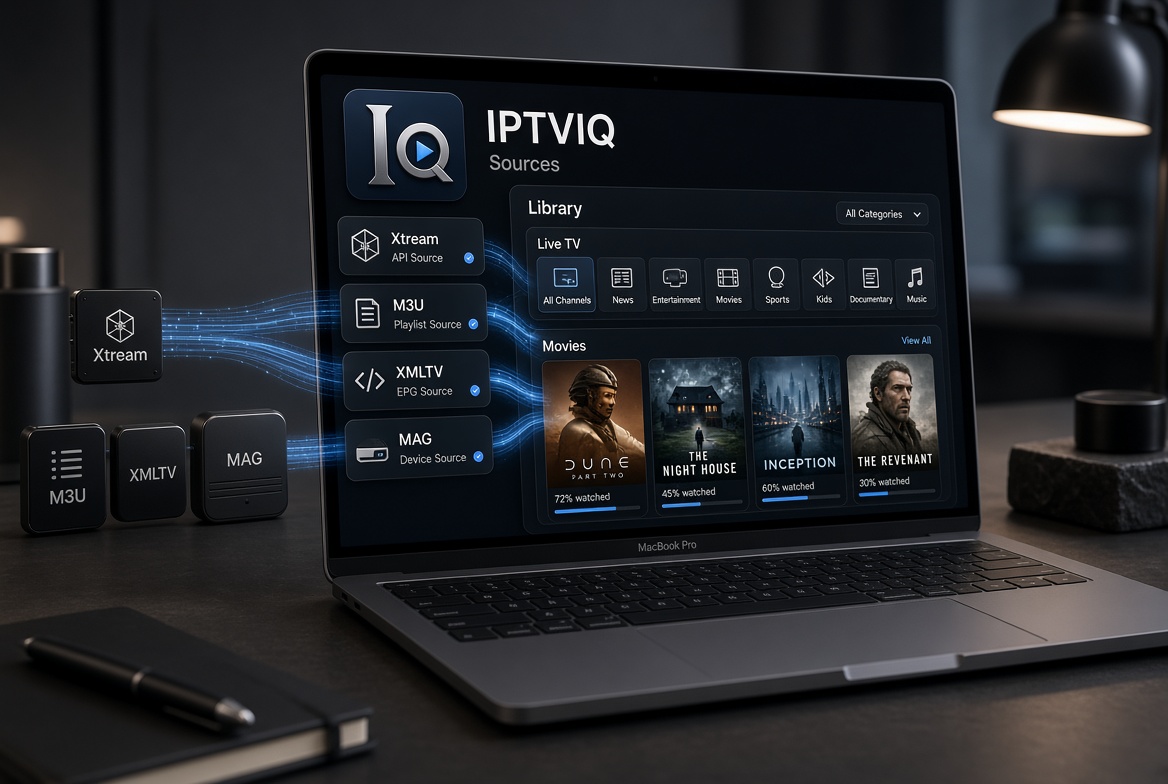
IPTVIQ is a native macOS player designed around that problem. It accepts the formats most people already rely on and places them side by side inside a single, organized interface. It does not sell channels or act as a provider. The source stays yours; the app only organizes and plays what that source already delivers.
The Player vs Provider Distinction
Many results that rank as “top IPTV players” are actually services. IPTVIQ is not. It never includes, sells, or recommends any channel package. If you do not already have an authorized Xtream account, M3U playlist, XMLTV guide, or Stalker portal, the app has nothing to show. This is intentional. The playback path remains direct from your provider to your Mac.

Sources It Accepts
IPTVIQ works with:
- Xtream Codes panel accounts
- Remote or local M3U / M3U8 playlists
- XMLTV guide files
- Stalker / MAG / Ministra portals
You can add more than one at the same time and switch between them. Each source can also use its own independent proxy setting (Direct, HTTP, HTTPS, or SOCKS5) for both the connection and the media traffic. This is practical if you route some providers differently from others or if you test a new source alongside an existing one.
From Separate Lists to One Library
A basic player usually treats each playlist as an isolated list. Channels from one source stay separate from movies on another. Favorites do not carry over cleanly. Search is either missing or limited to the current list.
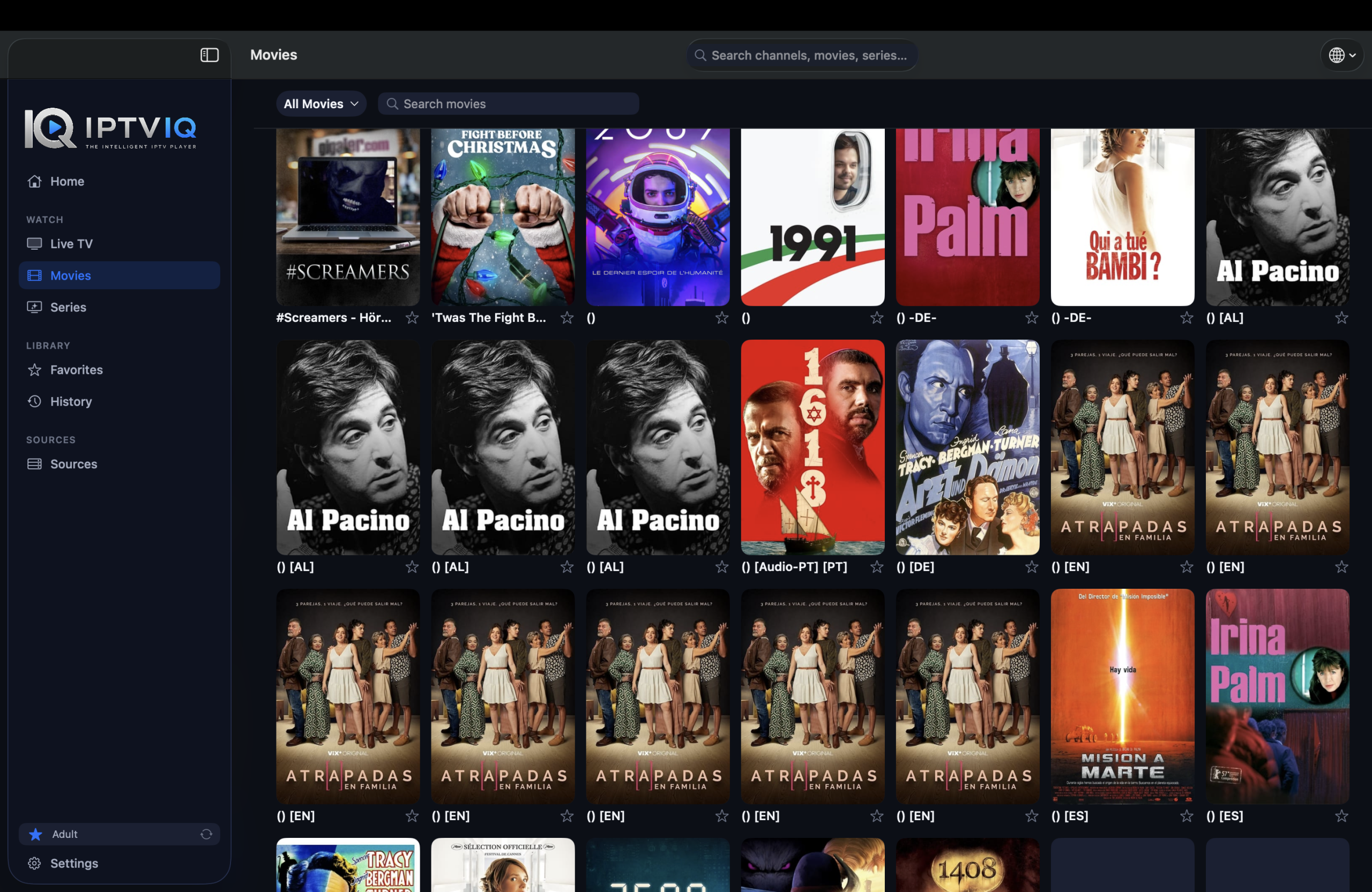
IPTVIQ parses the data from every source you add and presents Live TV, Movies, and Series as coherent sections. You browse categories instead of scrolling raw entries. The same search works across the imported catalog. Progress and favorites stay tied to the profile you are using, not mixed into a single global pile.
Live TV and Guide Behavior
Channel navigation includes category browsing, direct numeric entry, and Recall for the last channel. A mini-EPG overlay appears during playback so you can check what is on without leaving the stream. Now and Next information is shown where the source provides it. Completeness depends entirely on the EPG your provider sends; the app does not fill missing guide data.
On-Demand and Resume
Movies and series from compatible sources appear as a proper catalog. Continue Watching remembers where you stopped. When an episode ends, the next one is available without hunting through the list. This behavior is consistent across sources once they are imported.
Catch-up and Local Recording
Where a provider supports it, you can start a recent program from the beginning or step back through recent broadcasts. This remains source-dependent. Manual DVR lets you record a live stream you are authorized to watch and save the file to a folder you choose on your Mac. It is personal time-shifting only. Scheduled recording from the guide is planned and not available yet.
Multiview and Connection Handling
Two streams can play side by side. Smart Recovery watches for real playback stalls caused by brief drops and reconnects automatically. It is deterministic logic, not an AI claim, and it cannot recover a source that is genuinely unreachable.
Profiles Across Sources
Separate profiles keep history and favorites private even when multiple sources are loaded. Kids profiles restrict content across Home, Search, Guide, and playback. The restrictions apply to the whole library, not just one playlist. Learn IPTV
Current Platforms and Direction
The public version is for macOS 14 and later (Universal binary). Apple TV is in testing. iOS, iPadOS, Windows, Android, and Android TV are planned. Cloud Sync of user state (favorites, resume positions, profiles, and Kids rules) is also part of the longer roadmap. It would sync settings and library state only; video continues to come directly from your provider.
Practical Comparison
| Aspect | Typical Basic Player | IPTVIQ Today | Longer Direction |
|---|---|---|---|
| Multiple source types | Often limited | Xtream, M3U, XMLTV, MAG | Same |
| Per-source proxy | Rare | Yes | Yes |
| Unified Live + Movies + Series | Rare | Yes | Yes |
| Continue Watching | Rare | Yes | Yes |
| Profiles + Kids rules | Rare | Yes | Yes |
| Manual local DVR | Sometimes | Yes | Yes |
| Multiview | Rare | Yes | Yes |
| Other platforms | Mixed | macOS only | Planned |
Who Finds It Useful
This approach suits people who already maintain one or more sources and who want them in a single Mac interface instead of juggling separate apps or browser tabs. It is less useful if you are looking for channels included with the player itself.
Setup Outline
- Install IPTVIQ from the Mac App Store.
- Add each Xtream, M3U, XMLTV, or Stalker source you already use.
- Create profiles if more than one person watches.
- Browse the combined library rather than individual raw lists.
Disclaimer
IPTVIQ does not host or supply content. Use only sources you are authorized to access. Recording is for personal time-shifting. Guide accuracy and catch-up availability depend on the provider.
Among the options people consider when looking for the top IPTV players for Mac in 2026, the ones that treat every source as raw text tend to feel limited once libraries grow. IPTVIQ focuses on bringing those sources together into one organized, profile-aware library on macOS. Your providers stay your providers; the app simply makes switching between them and watching them less fragmented.